Register as an Amazon developer
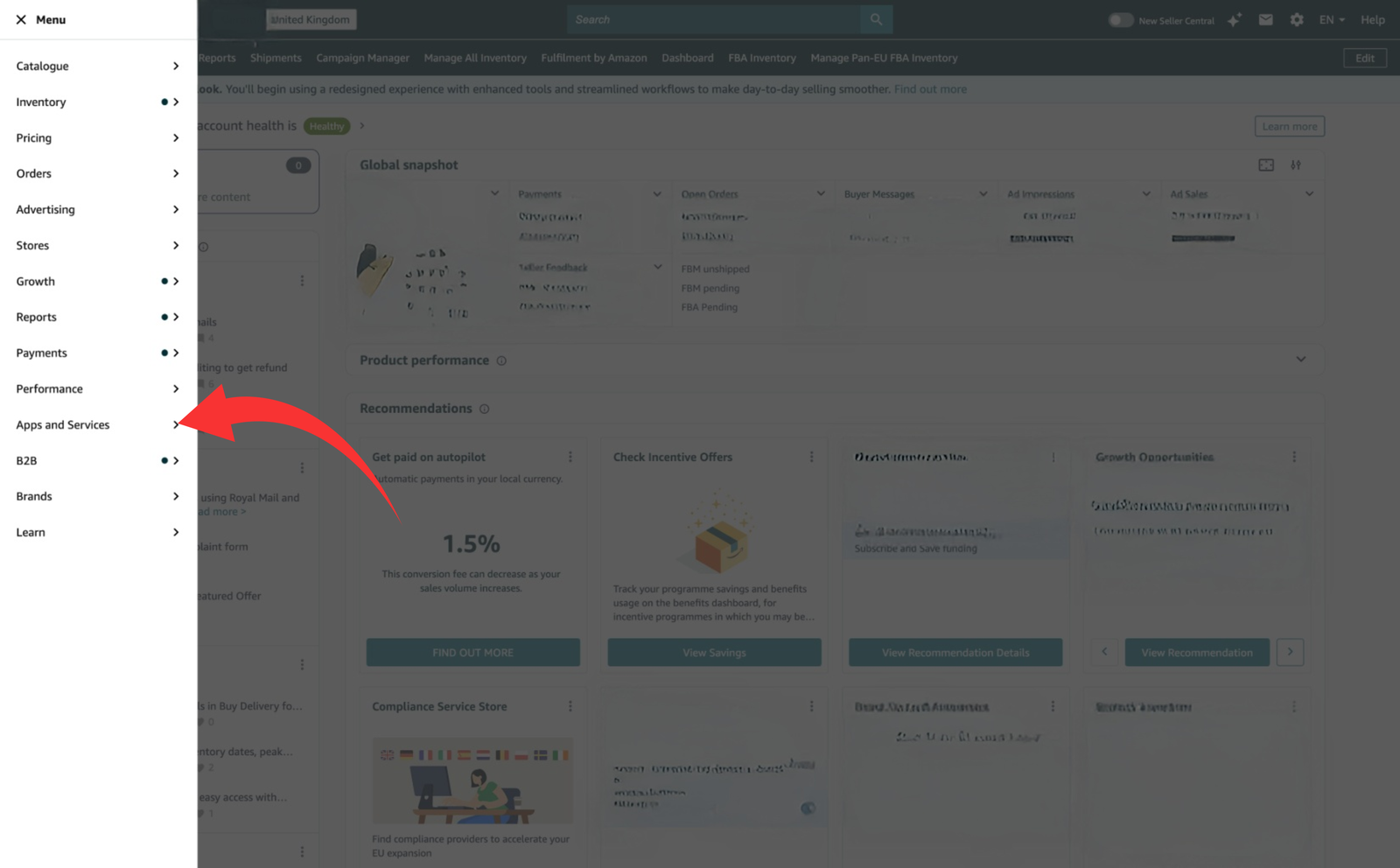
Sign in to Seller Central as the Primary user, open Apps and Services → Develop Apps, accept Amazon's Selling Partner API terms and complete the developer profile and data-security questions.
Create a private app and request Amazon Fulfilment
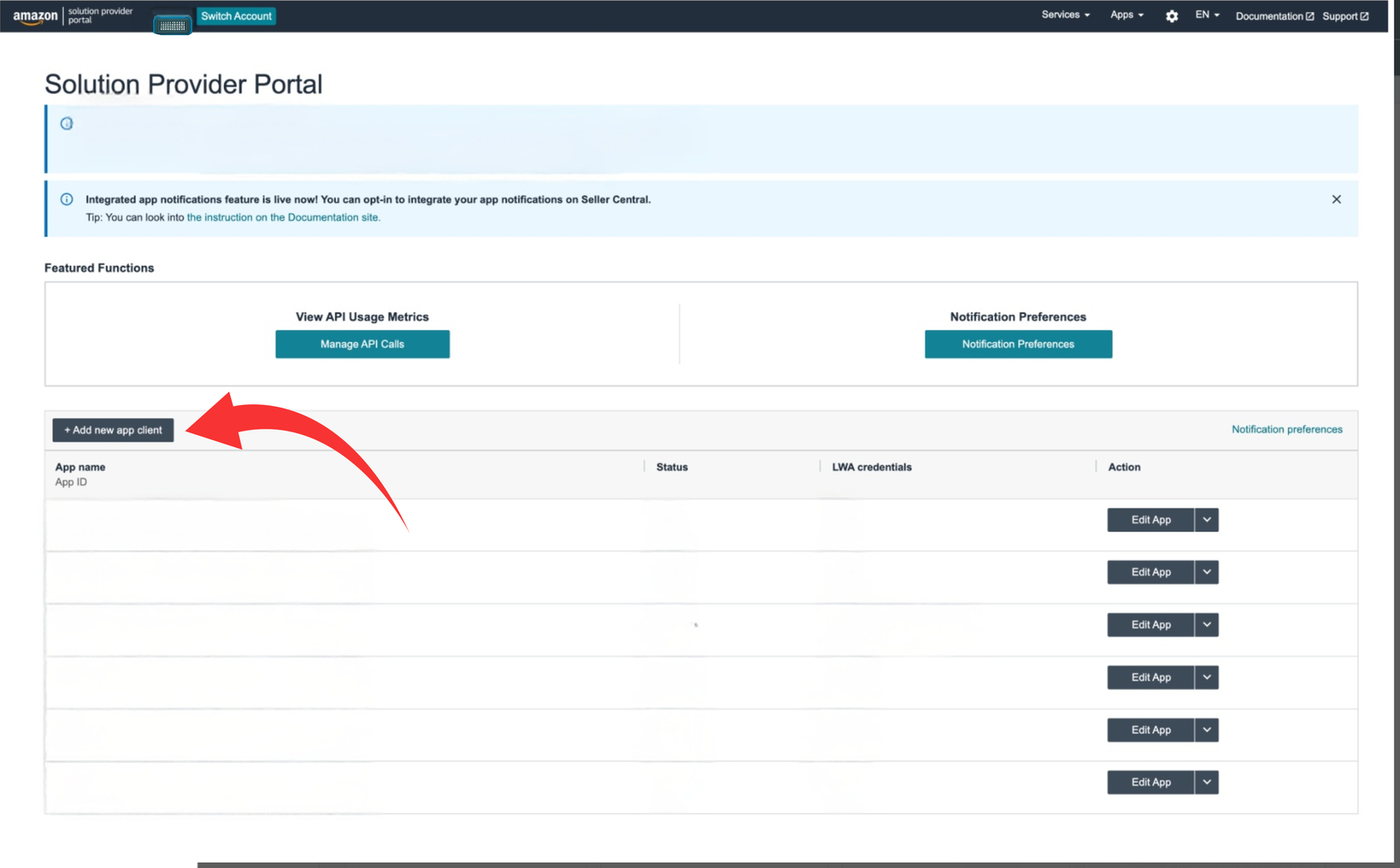
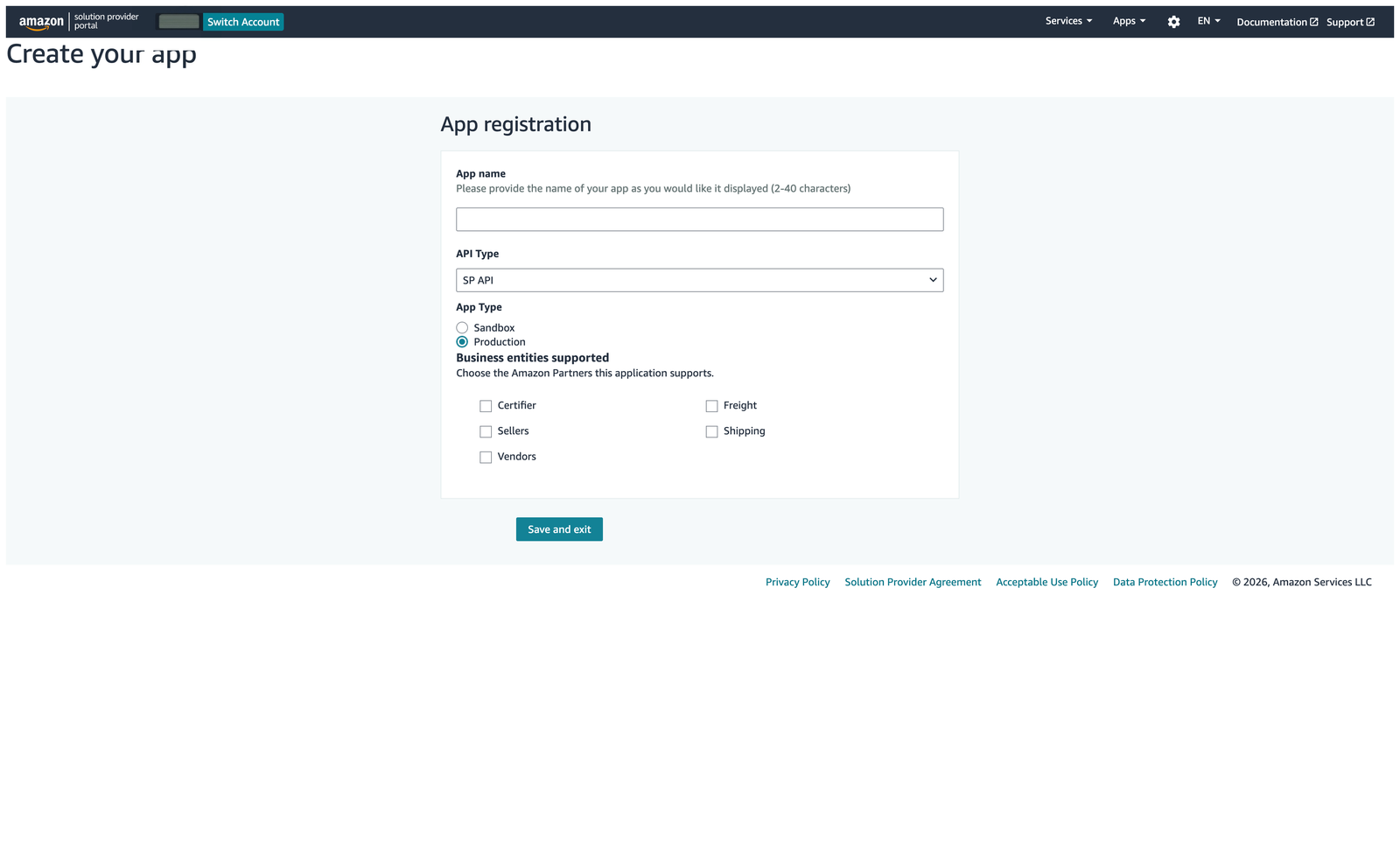
In the Developer Console, choose Add new app client, give it a clear name, select SP-API and keep it private. Request only Amazon Fulfillment: “Ship to Amazon, and Amazon ships directly to customer”.
Copy the Client ID and Client Secret
Open View beside your app's Login with Amazon credentials. Copy the complete Client ID and Client Secret, without leading or trailing spaces.
Authorise the app and copy the Refresh Token
From the app's action menu choose Authorize app for your own seller account. Copy the Refresh Token shown after approval. If it is lost or revoked, authorise the app again for a new token.
Save, run the read-only test and map SKUs
In Connections → Amazon MCF, enter the Client ID,
Client Secret and Refresh Token. Confirm the marketplace ID
(A1F83G8C2ARO7P for Amazon UK), select the shipping speed,
save and run Test Amazon MCF connection. The Fetcher
connects to Amazon's UK and EU service. The test reads status only and
does not create a fulfilment order.
Then open Settings → SKU and parcel mappings and match each Temu product code (SKU) to the Amazon Seller SKU holding the stock. On the first real order, use preview, check the address and quantities, then confirm that you want to send it to Amazon.